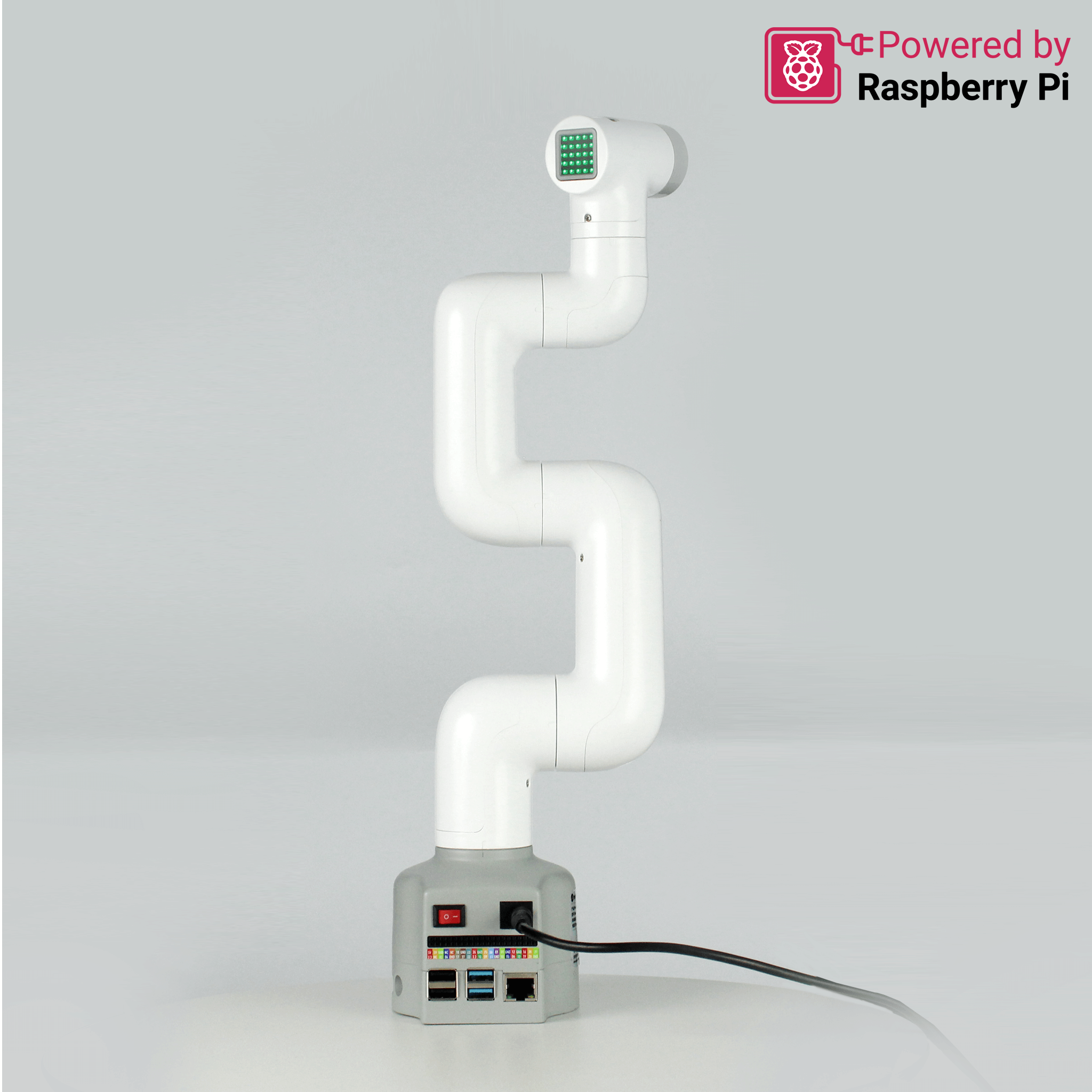
Elephant Robotics myCobot 280 Pi Robotic Arm
The Smallest Six-Axis Arm That Works Straight Out of the Box
The myCobot 280 Pi is a six-axis collaborative robot arm built for makers, students, and developers who want to get into robotics without the setup headache. Powered by Raspberry Pi 4B and running Ubuntu Mate 20.04, it operates completely independently — just connect a monitor, keyboard, and mouse and it is ready to go. No PC, no additional software, no prior training required. From robot programming education and ROS simulations to creative DIY projects and commercial application development, the myCobot 280 Pi is the most accessible entry point into serious robotics available today.
Key Features & Benefits
-
Works immediately, no configuration needed — Plug in a display and start developing from the first session; everything required is built in including Python, C++, Blockly, and ROS support
-
90+ robot control interfaces across multiple control modes — Angle, coordinate, potentiometer, and radian control modes with an open-source drive library deliver an industrial-depth programming experience in a desktop form factor
-
Lego interface for end-effector expansion — Supports secondary development and integration of multiple end-effector technologies for object recognition, image sorting, face recognition and tracking, robot assistant applications, and more
-
MoveIt integration for advanced development — Full path planning and obstacle avoidance capabilities for users building sophisticated robotics applications beyond beginner-level control
-
Optional AI Kit compatibility — Adds machine vision and arm coordination for object recognition and grasping tasks, extending the platform into applied AI research and development
-
Intuitive slider controls — Accessible for complete beginners from session one while remaining capable enough for experienced developers pushing complex applications
Overview
The myCobot 280 Pi is engineered around the Raspberry Pi 4B — a 64-bit 1.5GHz quad-core processor with Broadcom VideoCore GPU — giving it the onboard computing power to run ROS simulations, execute control logic, and support creative development projects entirely without an external computer. This self-contained architecture makes it uniquely practical for classroom environments, lab setups, and maker spaces where access to dedicated PCs cannot be assumed. Detailed Gitbook tutorials cover every stage from environment setup to full arm control, with GitHub resources for deeper software development — making the learning path clear and well-supported regardless of prior experience level.
Beyond education, the myCobot 280 Pi is a genuine commercial development platform. Over 90 robot control interfaces spanning four distinct control modes give developers the programming depth needed to prototype and validate real-world applications. The Lego-compatible interface system enables rapid end-effector swapping and integration — supporting use cases from object recognition pipelines to face tracking systems without requiring custom hardware modifications. For teams ready to move into machine vision, the optional AI Kit pairs directly with the arm to add object detection and grasping intelligence. MoveIt compatibility extends the ceiling further still, providing the path planning and collision avoidance tools that sophisticated manipulation research demands. The myCobot 280 Pi grows with the user — from first robotics experiment to deployable application — without ever needing to be replaced or upgraded.
Specifications
| Category |
Details |
| Degrees of Freedom |
6 DoF |
| Processor |
Raspberry Pi 4B — 64-bit 1.5GHz quad-core (28nm) |
| GPU |
Broadcom VideoCore VI @ 500MHz |
| Operating System |
Ubuntu Mate 20.04 |
| Programming Languages |
Python, C++, Blockly |
| Robot Framework |
ROS compatible |
| Control Interfaces |
90+ open-source robot control interfaces |
| Control Modes |
Angle, coordinate, potentiometer, radian |
| End-Effector Interface |
Lego-compatible — multiple end-effector types supported |
| Advanced Development |
MoveIt — path planning and obstacle avoidance |
| AI Kit Compatible |
Yes — machine vision and object recognition |
| Operation |
Standalone — monitor, keyboard, mouse only |
| Ideal Use Cases |
Robotics education, ROS development, DIY, commercial application prototyping |
| Software Management |
myStudio — firmware updates, tutorials, maintenance |